
She acts in your name. Marikeeps you in charge.
Mari knows the difference between you, a colleague and a stranger. Every action she takes is logged in plain sight.


From owner to stranger, on one scale, evaluated on every message.
Every inbound message resolves into one of six trust levels: owner (unlimited, privacy-exempt), trusted (full access), known (50 messages per hour), from-your-contacts (20 per hour, cautious), unknown (5 per hour, brief and neutral), or blocked (no reply). Resolution is strict. The peer matches your channel's owner account, your channel-owner link, a session cache, or your contacts table. On a miss, default unknown. Trust auto-promotes on a connect (your verified contacts) and demotes on disconnect. The style and the rate limit per level are tunable.
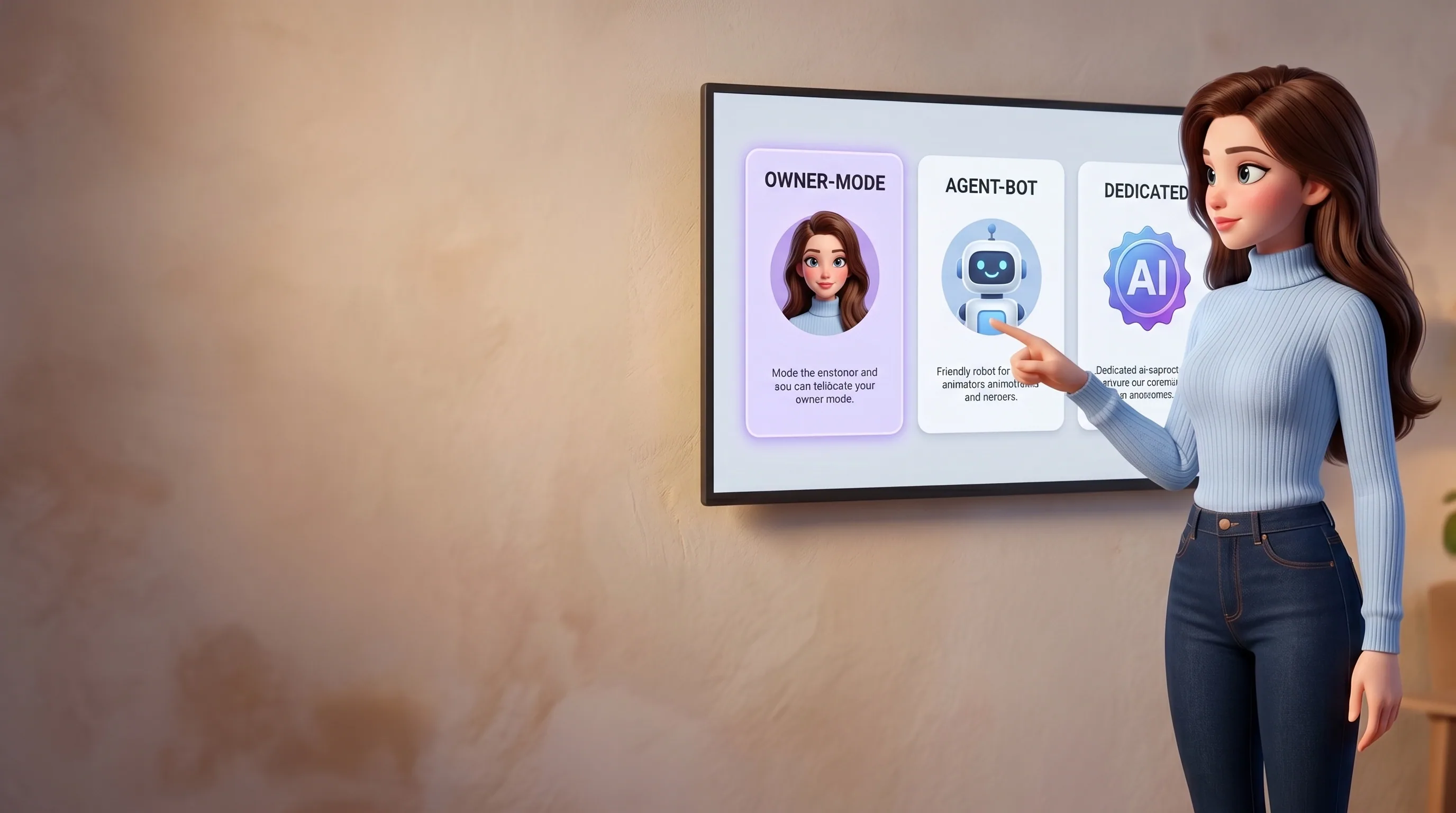
Owner, agent-bot, dedicated. Each mode has its own identity rules.
Mari runs in three explicit modes set per channel. Owner-mode (she sits inside your own Telegram or WhatsApp), she only watches and flags, never writes in your name. Agent-bot (her own bot in any chat), she answers, openly carries her AI marker, introduces as your assistant. Dedicated-account (her own full account), she identifies as an AI assistant by design. The planner's prompt itself differentiates style per mode. There is no fourth mode where she pretends to be you.

One Telegram card. Two buttons. A free-text reply that's read by a classifier.
Anytime a peer asks her to do something that touches your money, name, or a commitment, share contact, forward a message, book a meeting on your behalf, Mari pauses and surfaces one approval card to you in Telegram with two inline buttons (Approve, Decline) and a 4-hour window. Reply 'sure but use Signal' in free text, a classifier maps your intent to approve, decline, or clarify and can even modify parameters. Safe on double-tap. If you have several pending requests and your reply is ambiguous, she asks which one you meant.
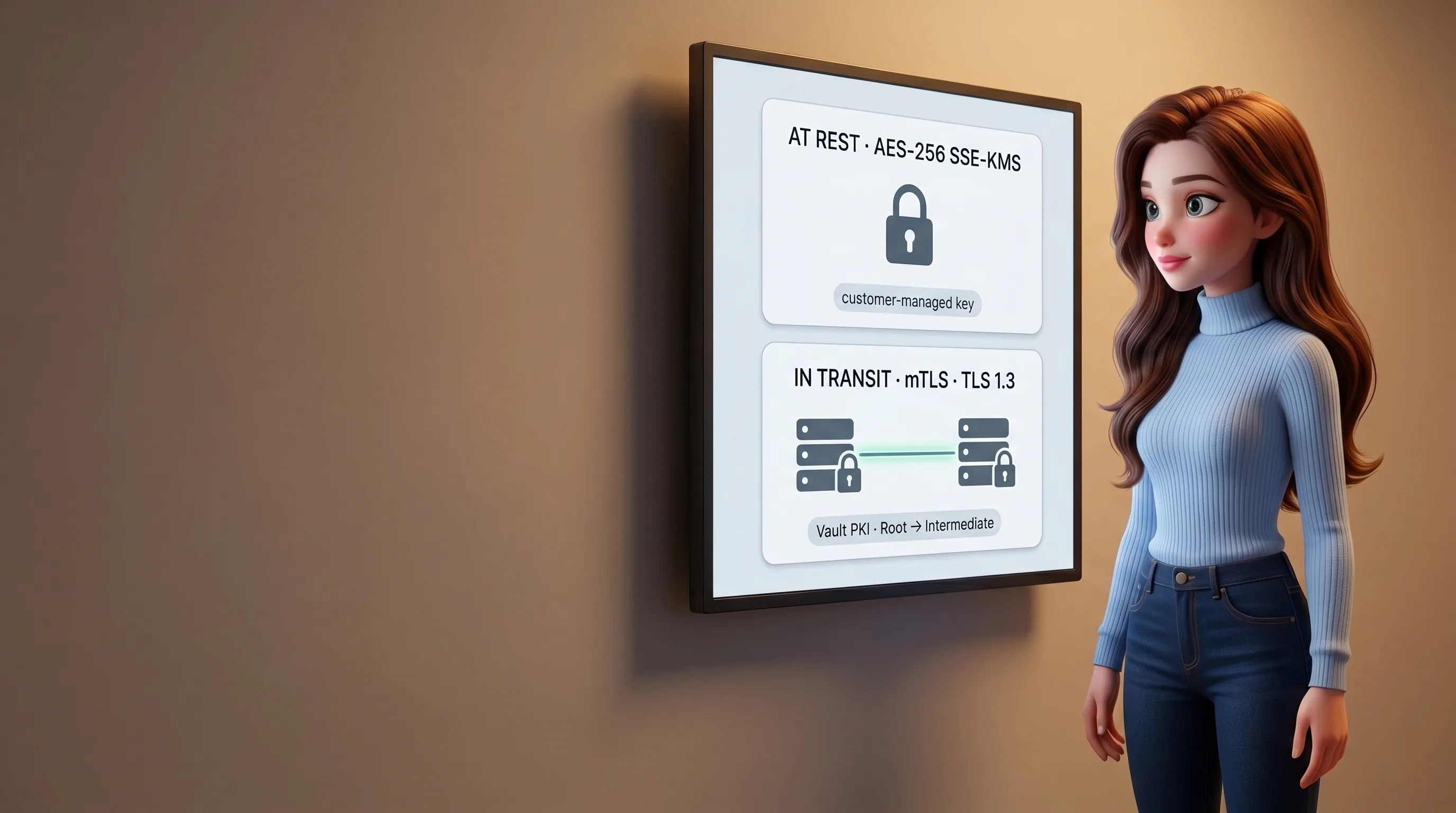
AES-256 at rest. mTLS over TLS 1.3 between every service.
Everything in your database sits on KMS-encrypted disk. Your messenger session blobs, your WhatsApp credentials, your files, all KMS-encrypted in S3. Your workspace files (the per-agent identity files Mari uses) ride AES-256-GCM through Vault Transit encryption. Every internal call between Mari's services requires a mutually-authenticated TLS 1.3 connection, with per-service certificates from a Vault PKI Root and Intermediate, distributed through AWS Secrets Manager and rotated regularly. The wire and the disk are both opaque.
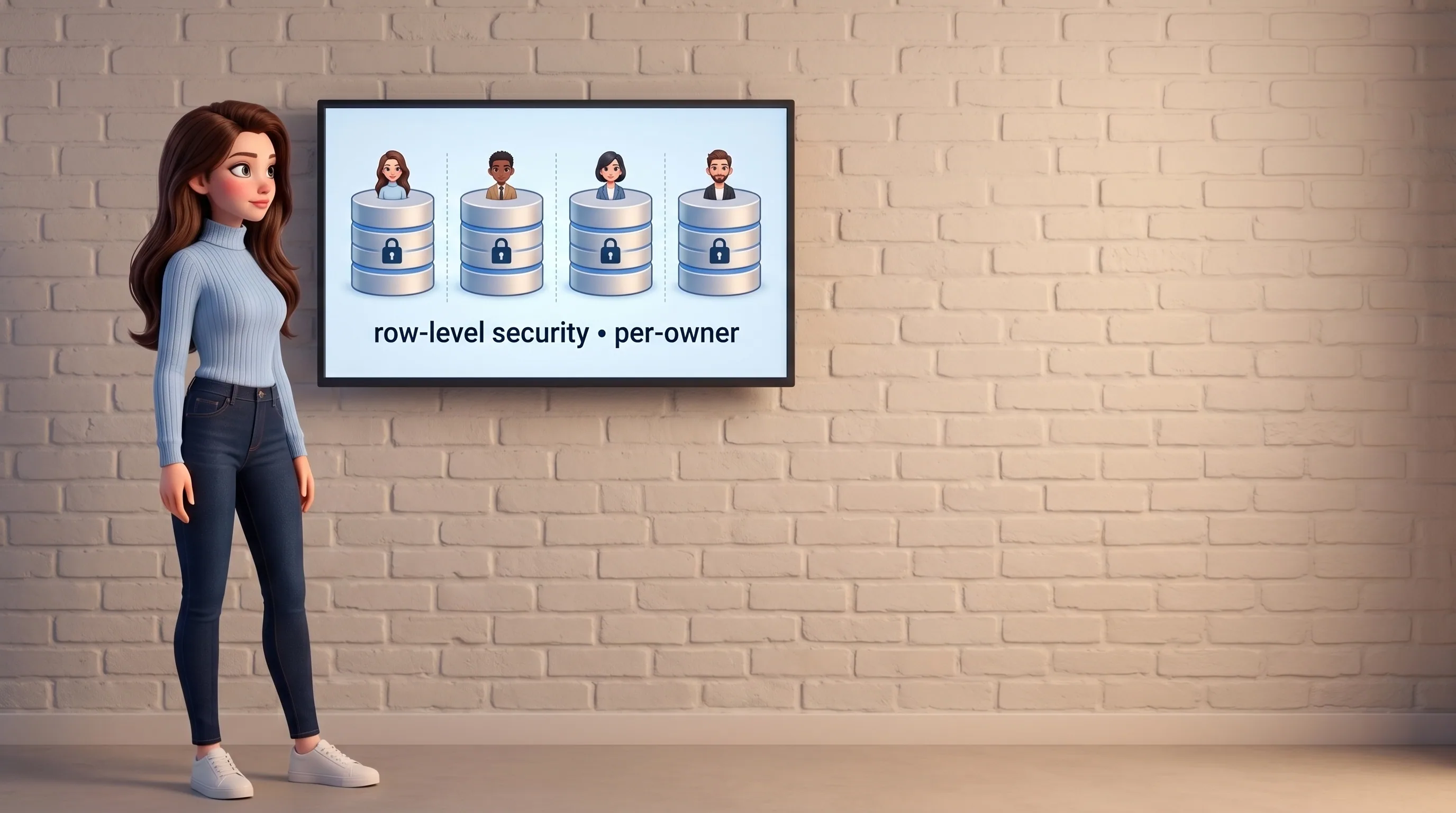
Row-level policies, no-bypass service roles, app-layer checks on top.
Across the whole platform, every owner-scoped table carries a row-level policy that pins reads and writes to a per-transaction owner identity. Every database role any service uses is forbidden from bypassing that policy. The gateway can't read another owner's row, even if it wanted to. Files get a third belt: app-layer checks the owner against the session's owner before any download link is minted, on top of the policy and the storage key partition. A leak between owners has to defeat all three at once.

When a site wants a login, she hands you the live browser. You type. She resumes.
Mari hits a login wall in a task. She doesn't ask you for your password (she will never ask). She opens a live debugger iframe on her cloud browser session, notifies you, and you open the page in your home dashboard. You see the real login form, in real time, inside her cloud browser. You type your credentials directly into the form. The session cookies persist in your private browser profile. For credentials you've saved in your vault (envelope-encrypted with a per-owner key), Mari's browser layer pushes them straight into the page through low-level input events. The bytes never enter the language model's context.
Six levels, one scale, evaluated on every message.
What a trust level actually means in practice. Tunable per owner in the admin panel.
Six steps from a peer's ask to a logged decision.
Every sensitive action goes through the same six steps. You see the card, you decide, the trail is permanent.

Peer asks
A contact messages Mari with a sensitive request: share your phone, forward a thread, book a meeting on your behalf.
Notify owner
A pending row is logged with a 4-hour window and a single Telegram card is dispatched to you. Never batched, never silent.
Owner sees
Your card shows the peer, the ask, a short quote of context, and a link to your /requests dashboard for the full picture.
Decide
Tap Approve, tap Decline, or reply in free text ('sure but use Signal'). A classifier maps free text to approve, decline, or clarify and can modify parameters.
Resume or stop
On approve, Mari acts and tells the peer. On decline, she politely says no on your behalf. The status updates atomically, double-tap is harmless.
Audit
The whole exchange (the original ask, your decision, the resulting action) is permanently logged. You can rewind any time.
Six dials, one panel, change anything at any time.
Nothing is on by default that you didn't choose. Every channel carries its own simple set of controls. Override per-contact when you need to. Kill the lights with one button if you ever want to.
DM policy per channel
Decide who can start a conversation with Mari on each channel: open to everyone, an allow-list, a block-list, or only you.
Group policy per channel
Let her join groups everywhere, only in the ones you pick, or keep her in private chats only.
Send policy per channel
Auto: she replies freely. Manual: she drafts each outgoing message and waits for your tap. Off: she stays silent.
Session overrides per contact
Pause Mari for one specific peer without disabling agents globally. Bind a different agent to that peer if you want a different voice.
Emergency disable all
One button in the admin panel turns every channel off in seconds. Re-enable just as fast.
Brute-force lockout
Five failed auth attempts in a minute lock the account for fifteen minutes. JWT rotation, JWKS hosted, owner identity never accepted from the client.

Autonomy with a fence. Six things she always asks first.
The list of actions that always require your tap is short, fixed, and enforced in the planner prompt itself, not a policy printed on a page.
- She never writes a message in your name without your tap (only as her own self)
- She never moves money, signs a contract, or accepts an offer on your behalf without explicit approval
- She never deletes a file, account or chat thread autonomously
- She never authenticates a new service. Every login is initiated by you
- She never creates a Zoom or Meet link before the peer has confirmed (even if you say 'organize a zoom')
- She never assumes a timezone when scheduling something time-sensitive. She asks instead

A passport for agents, so businesses can trust one.
Today, when an AI shows up on a hotel's booking site, the hotel sees an anonymous bot. We're building the third pillar of Mari: verified agents with registration numbers, owner bindings, and explicit access levels. So when Mari calls a business to book a flight, file a tax form, or schedule a doctor's visit, the business sees not 'a bot', but a verified agent of a specific person with defined rights.
One voice, a thousand hands.
Trust is the spine. Everything else rests on it.
The same controls show up everywhere, in tasks, in browsers, in memory, in chats.






Read every line. Then hand her the keys.
Connect Mari in five minutes. Pause her with one tap. Open the audit log at any time. Your first $10 in credits are on us.