
Give her the goal. Mariships the work.
Mari plans the steps, runs them across your apps and the open web, and comes back with the finished result — not another message.


First she writes the plan. Then she runs it.
Mari is not a chatbot that answers in one breath. Give her a goal and the first thing she does is write a plan: numbered steps, what tool each step needs, what could go wrong, and a small confidence score on each one. Step 1 might be 95% reliable; step 5 only 60%. You see the plan before she touches a single tool. If it looks off, you steer; if it looks right, you tap go.

Plans are easy. Doing the work is the hard part.
The plan is the easy bit. Mari's job is to actually do it: open Gmail and draft the message, open Calendar and book the slot, drive the browser to pull the doc, file the attachment to Drive, log the result. She runs autonomously for up to an hour at a stretch, calling the right tool at each step, checking each result, moving on. The whole run is recorded, every step is rewindable.

Steps run as a graph, not a queue.
Real work has branches. While she is waiting for the bank to send the offer letter, she is already drafting the SPA. If step 4 fails because the doc is not there yet, step 5 does not collapse: it just waits, and steps 6 and 7 which do not depend on it keep running. The dependency graph is built from the plan; you can see it as you would a project Gantt.

The world breaks the plan. She rewrites it on the fly.
Plans are guesses about reality. Reality has its own opinions: the doc was moved, the meeting was rescheduled, the bank portal added a new field, the contact replied in a different language. When a step returns something Mari did not expect, she stops, re-thinks that branch of the plan, and continues, without waking you up. Every replan is logged with the surprise that triggered it.

If she genuinely cannot proceed, she asks once. Then she is off.
Some things only you can answer. Send the long version of the offer, or the short one? Book the 9am slot or the 2pm? Reply now, or wait until Monday? In those moments Mari surfaces one clear question, never a panel, never six options, never 'are you sure?'. You tap once, she carries on. She never wakes you for something she could have answered herself.

Some jobs do not end. She runs them indefinitely.
A one-off task closes when it is done. A standing mission runs forever: the always-on lead pipeline, the rental portfolio you manage, the weekly client digest, the monthly investor brief. Mari treats each as its own ongoing job with its own brief, and reports on it at the cadence you set. You do not re-brief; you just adjust.
How standing missions workThe shape of one job, from one-line brief to clean report.
Every task Mari runs goes through the same seven beats. You only see the ones that need you. The rest she carries quietly.

The brief
You write the goal in one line. Mari asks a clarifier only if the brief is genuinely ambiguous, never twice.
The plan
Mari writes the step-by-step plan, scores her confidence on each step, marks which steps will need your sign-off.
Your one tap
You read the plan. Approve as-is, edit a step, or steer the whole thing in a different direction. One tap to launch.
Execution
She runs the plan, in parallel where she can, calling the right tool at each step, checking each result.
Replans
When reality surprises a step, she rewrites that branch of the plan and continues, the surprise is logged with the new approach.
The one question
Only if she truly cannot decide alone, one clear question lands in your tray, never a panel of six choices.
The report
When the job is done, a clean report: what ran, what tools were used, what failed and was retried, what was produced, the receipts for everything.
Real apps, real actions, called as needed.
Mari's plan does not run in a sandbox. Each step calls a real tool: open the inbox, sign the doc, book the slot, file the attachment, drive the portal. Connect each service once, and she uses them as her own hands.
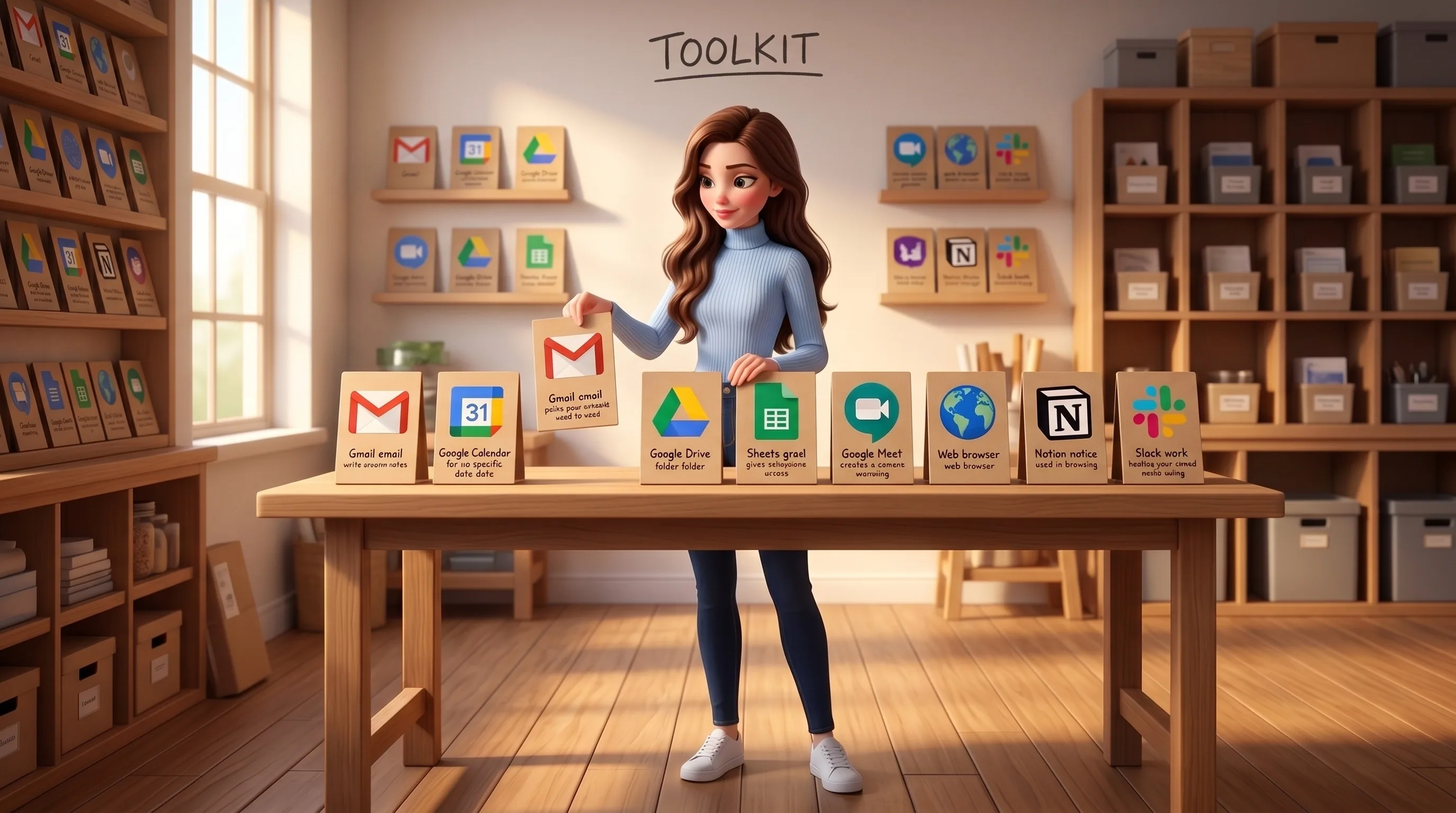

Gmail
Reads incoming threads, drafts replies in your voice, files attachments to Drive on the way through.

Google Calendar
Books slots in your free windows, respects your working hours, holds availability while a back-and-forth resolves.

Google Drive
Files docs by project / quarter / type, renames stale-but-load-bearing files, catches near-duplicates.

Google Sheets
Refreshes the live operating sheet hourly from real activity, never invents a row.

Google Meet / Zoom
Joins the call with consent, captures every decision, owner and deadline, files the recap into Notion.
Browser
Drives a real browser for sites without APIs: Bayut, LinkedIn, developer portals, DLD trustee bookings, the DMV form.

Notion
Files decisions, briefs and per-contact notes into the team's knowledge base, with cross-references.

Slack
Reads team threads, surfaces decisions, routes context to the right teammate with the right tone.

DocuSign
Drafts SOWs and NDAs from your template, sends for signature, chases politely if signature stalls past 48h.
Web search
Checks facts before deciding, pulls fresh data, never makes a claim it cannot source.
Watch the plan run. Pause it. Steer it. Stop it.
Autonomy does not mean opacity. Every running task is open to you in real time: the live graph, the step she is on, the tool she just called, what it returned. Four simple controls are always one tap away.

Open any running task and see the live graph: which step is running now, which are queued, which are done, where she is waiting.
A single tap stops her cleanly between steps. Resume later, or change the brief and resume into the new plan.
Realise halfway you wanted Marina, not Downtown. Change the brief, Mari replans from where she is.
End a run cleanly. The partial report is saved with what was produced and what was not, plus the reason you stopped.

Autonomy with a fence. Six things she always asks first.
Mari is autonomous within sharp boundaries. The list of actions that always require your tap is short, fixed and public.
- She never sends a message in your name without your tap (only as her own self)
- She never moves money, signs a contract, or accepts an offer on your behalf without explicit approval
- She never deletes a file, account or chat thread autonomously
- She never authenticates a new service, every login is initiated by you
- Every tool call is recorded and rewindable: open the run, see what she did, when and why
- If she is unsure whether something is sensitive, she defaults to asking, never to assuming
The features underneath.
The agent sits at the heart of everything else Mari does. Follow any thread to see the full picture.





Hand her the job. Watch the plan run.
Connect Mari in five minutes and give her the first real task. Your first $10 in credits are on us, enough to run a real first job end to end.